
Never Have Someone Show Up to an Event Without a Waiver Again
Reading Time: 4 minutes
Capitan’s April 24, 2026 release moves climbing gym waivers into the event booking itself: an event type can now require every participant to have a valid waiver before the booking goes through. The same release adds a membership discount that only applies once a member has been active for a set number of days, plus Saved Views, custom columns, and favorites in Reports.
It’s Saturday morning, and the kids’ climbing program is walking in. Eight kids, and a handful of parents.
Staff check the list. Five of the kids have waivers on file. The link emailed after booking went to a parent’s inbox on Tuesday and hasn’t been opened since.
So the coach waits at the desk while three parents fill out forms on their phones, and the coach watches the start time slide.
Gyms asked us for a way to make managing waivers for events, particularly youth programs, often enough that it shaped this release.
Why climbing gym waivers are harder to collect for events
Event participants arrive differently to a climbing gym. One person books for a group, and the people climbing may never touch the booking: youth programs, intro classes, team outings, kids’ birthday parties.
That leaves front-desk staff scrambling to see who has a waiver on file and who does not. While an adult without a waiver can fill it out for themselves, a kid dropped off my a friend’s parent is a different story. Now the front desk is calling and emailing their parent trying to find someone who can fill out the waiver for the child before the event starts.
Require a waiver before booking
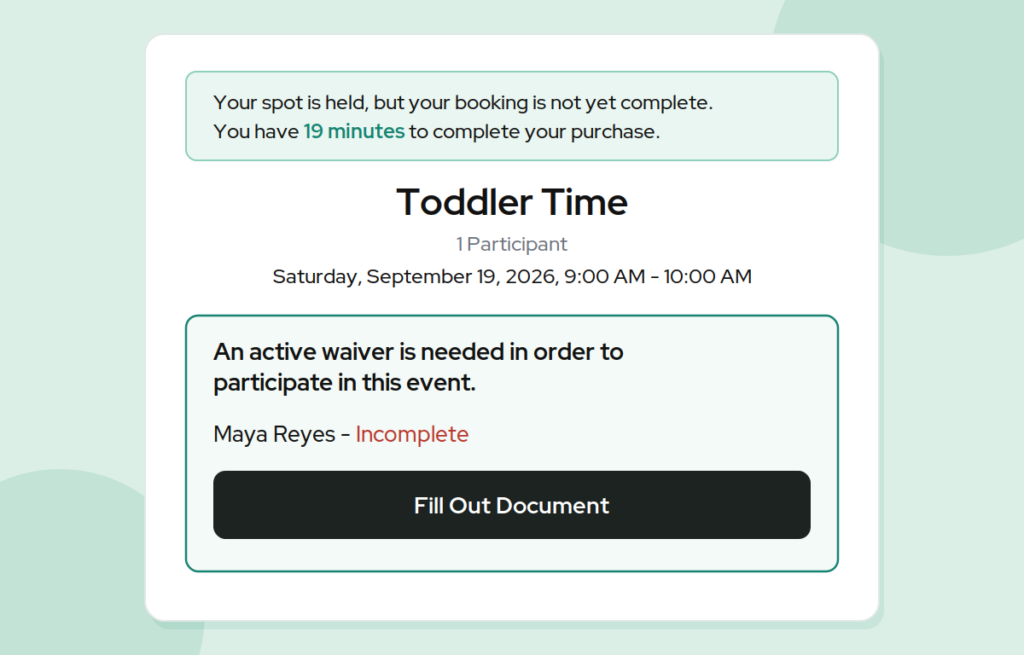
Each Event Type in the Staff Site, the front-desk side of Capitan, now has a setting that requires participants to have a waiver valid at the event’s location. It is off by default, and because it lives on each event type, you can require climbing gym waivers for programs and parties while leaving other events as they are.
When it is on, every participant on a booking needs an active waiver for that location before the booking completes. If someone does not have one, the Climber App, the member-facing side of Capitan, adds a waiver step to the booking flow and asks the person booking to complete the waiver document for that location. It looks and works like the participant agreement step customers already see.
A few details worth knowing:
- Each location designates one waiver template as its valid waiver. A location with no template configured does not enforce the setting.
- It is independent of the participant agreement. An event type can require both.
What it looks like in practice
A parent signs up two kids for an eight-week youth program. One climbed at the gym last spring and has a valid waiver on file. The other is new. Before the booking goes through, the Climber App asks the parent to complete the waiver for the new climber.
By the first session, both kids are covered, and the desk has nothing to chase.
How to reward long-term gym members without a contract
The waiver setting is a rule Capitan checks at booking. The other headline change in this release is a rule Capitan checks at billing.
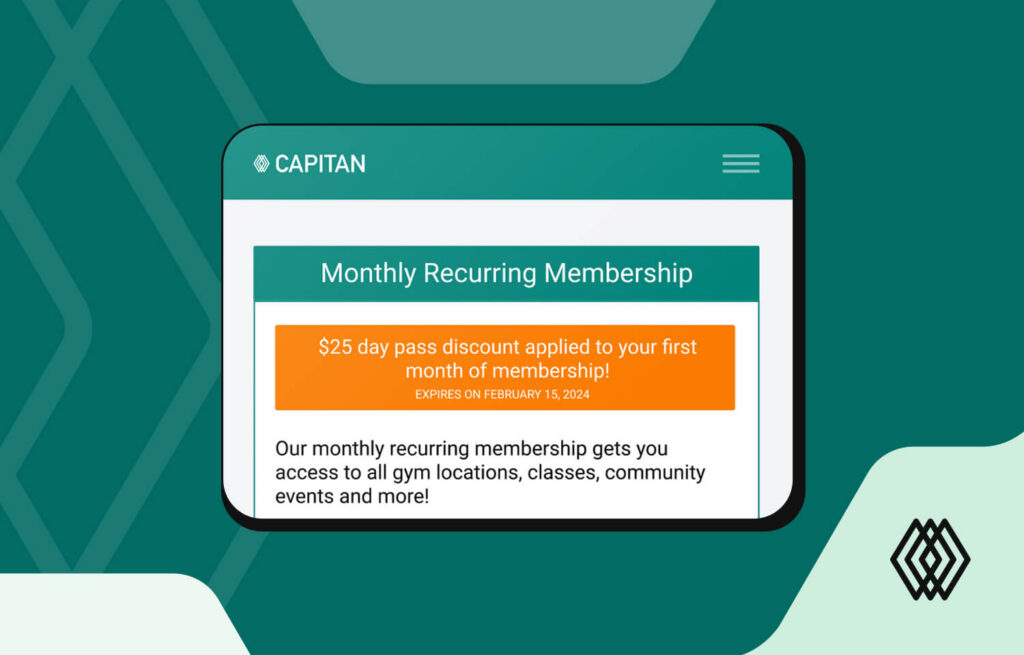
Membership discounts now have a Required active duration (days) field. A membership qualifies for the discount only once it has been active for that many days.
- Frozen time does not count, but freezing does not reset progress either. Active days before a freeze still count.
- The discount is evaluated against the membership’s next end date. If the next bill falls after the member crosses the threshold, the discount shows on that bill.
Set it to 180 days and you have a gym membership loyalty discount that starts around the six-month mark. A member who froze for a month over the summer reaches it a month later than one who did not, and the discount appears on whichever bill comes after that point.
It works as a form of lock-in without a contract: the reason to stay grows the longer someone stays. It also pairs with the approach in our post on winning back lapsed members, which aims offers at people who have already left.
Smaller changes in Reports
Fourteen reports, including Check-in History, Bookings, Memberships, and Payments, now have Configure Columns and Saved Views. You can choose and reorder a report’s columns, then save them with the current filters under a name.
Saved Views are shared across your organization, so a “Today’s check-ins” view built for the front desk is there for everyone who needs it. The built-in Standard Capitan View is always available. Each staff member picks their own default view, so changing yours does not change what anyone else sees.
The Reports list also has Favorite Reports, which each staff member chooses and orders, and Recently Viewed Reports, so the report you just had open is one click away. If you run more than one site, these combine well with filtering reports by location.
Rules that run on their own
Every gym has policies that depend on someone remembering them at the right moment: collect climbing gym waivers before an event starts, apply the discount once a member qualifies. This release moves two of them into the system, so they apply at booking and at billing without anyone on staff having to step in.
Common questions
Does this work for birthday party waivers?
Yes. The setting applies to any event type, so a party is covered the same way a class is. Every participant on the booking needs a valid waiver for that location before the booking completes.
What happens if a location has no waiver template?
The requirement is not enforced for events at that location. Designate a waiver template for the location to turn it on there.
Does freezing a membership reset the loyalty discount?
No. Frozen days do not count toward the required active duration, but active days before the freeze still do.
Want to see how Capitan handles event bookings and memberships? Book a demo.
Published on 24 April 2026
Last updated on 17 September 2026
New gym in its first year? Let us help you

Continue reading
Join our community of growth-focused climbing gyms
Access roundtables with industry leaders. Share challenges. Exchange strategies. Our platform handles the heavy lifting while you leverage collective insights. Discover why leading climbing facilities choose Capitan.